Know each computer. Follow every action.
All featuresWhere is each computer? What is installed?
- Hardware and software inventory
- Location, department and owner details
- Inventory change history
Demo data · English interface
Decide who can use USB storage.
- Read and write rules for USB storage
- Approved flash drives and external disks
- Rules for groups and selected computers
Investigate the issue through its records.
- On-demand System and Application log queries
- Investigate errors and warnings
- Supported maintenance actions and results
What is the antivirus and update status?
- Antivirus status reported by the computer
- Antivirus signature freshness
- View Windows Update status
Take a closer look at the console.
Device information, team and location records, and requested actions. Switch between the tabs to explore actual MelfaGuard screens.
See the state with its history.
Review resource usage and device information together. Start a support investigation with more context.
Demo data · Sample interface in English.
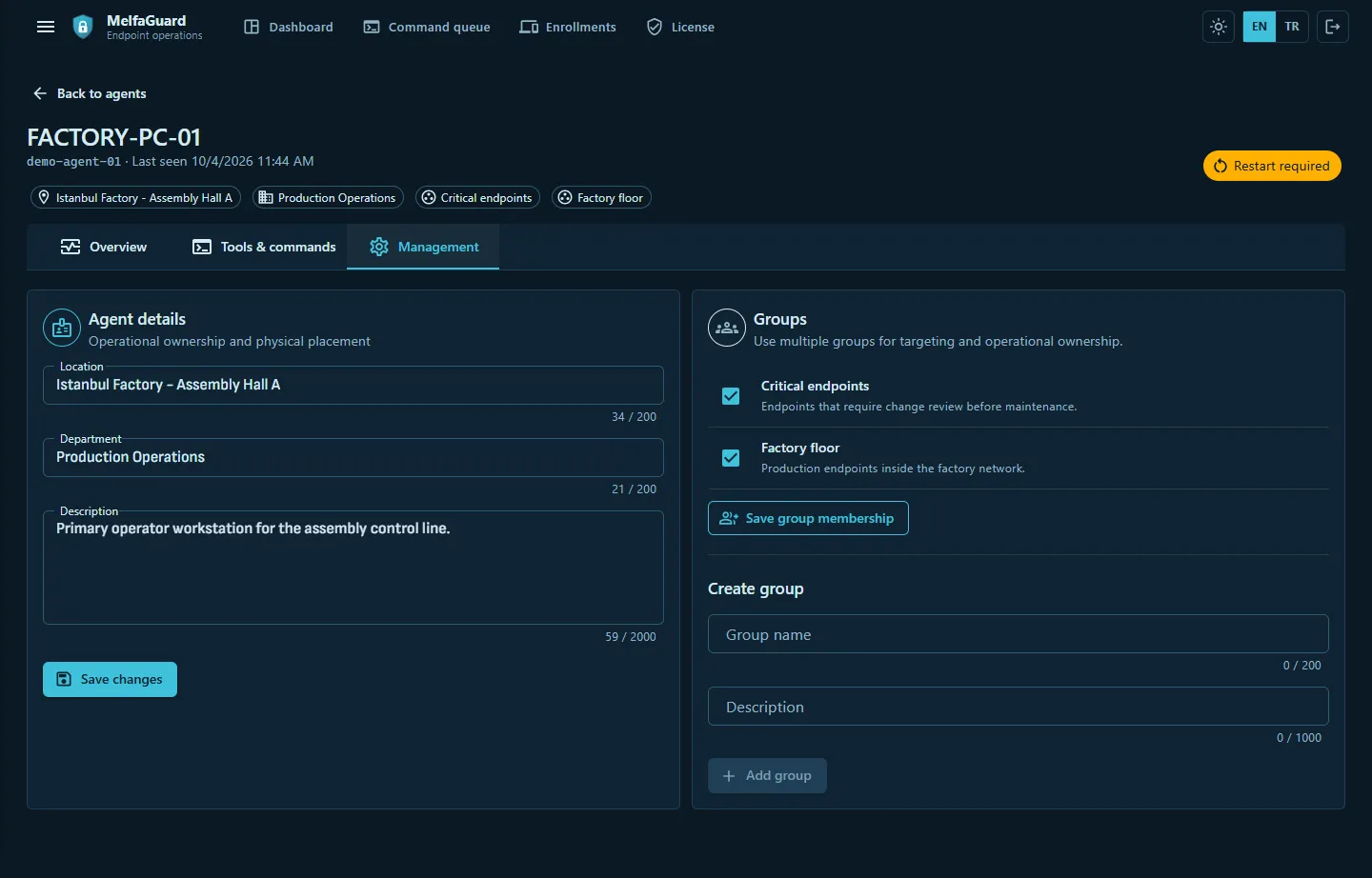
Place the device in your working context.
Use location, department and groups to follow which team and working area a device belongs to.
Demo data · Sample interface in English.You requested it. What happened next?
Distinguish waiting, active and finished operations. Review the status before choosing your next step.
Demo data · Sample interface in English.
A clearer view of everyday IT work.
A way of working that starts with the device, rather than disconnected records.
Keep inventory and records at hand for audit preparation.
Review computer inventory, change history and technical records as you prepare for certification and assessment. Share supported reports with your team to simplify audit preparation.
- ISO/IEC 27001
- AS9100
- EYDEP
- Siber Hijyen
Know your devices
List computers and keep location, department and owner information with each device.
Inventory and change history
Review hardware, installed software and change history. Prepare and export inventory reports.
Review event logs
Query a computer’s Windows System and Application logs on demand to investigate errors and warnings.
Device log queries run on demand. The records and evidence requested depend on the scope of the relevant standard or program. Certification also involves organizational processes and practices. MelfaGuard alone does not provide certification.
Your network. Your way of working.
Not every organization wants cloud management. MelfaGuard is built for teams managing Windows devices inside their own network.
Runs on premises
Keep your management environment on your own infrastructure.
Built for closed networks
Review your needs in environments with restricted internet access.
Your team decides
See device conditions and let your authorized team manage actions.
First, your needs. Then, the product.
Share your device count and the work you want to simplify. We can review how MelfaGuard fits your environment together.
- Use cases relevant to your team
- MelfaGuard screens and supported actions
- Setup needs and scope
MelfaGuard is in controlled pilot. Pricing has not been finalized.